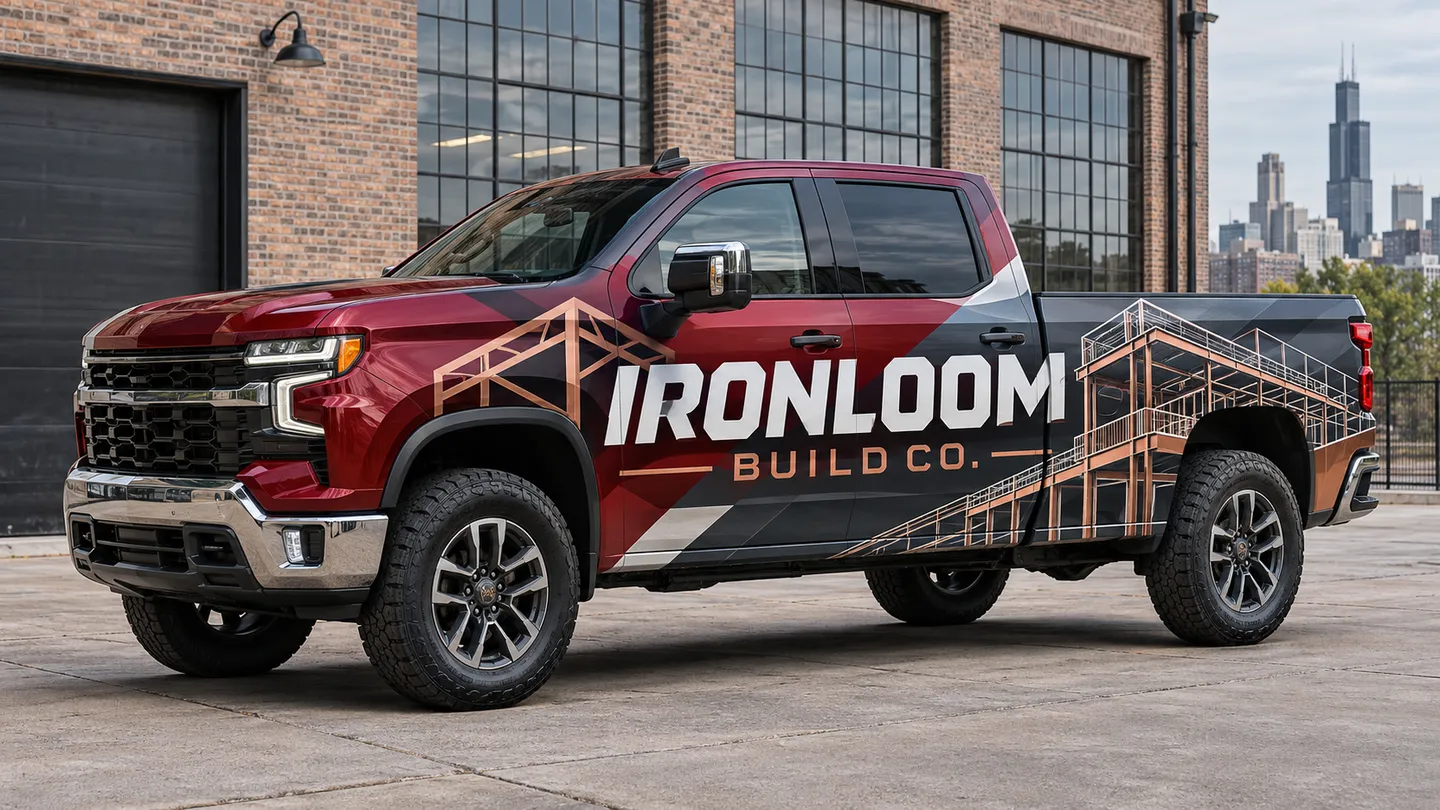
Identify the complete configuration
Record the truck year, make and model along with cab type and the work-body manufacturer or identifying description where known. Note changes from the original vehicle, including service boxes, racks, lift equipment or replacement panels. Two trucks bought together may still differ in useful graphics surfaces.
Photograph the cab and work body in the same set, then add details of each zone. Use stable vehicle references so the shop can relate measurements and artwork to the correct truck. Do not copy dimensions from a neighboring vehicle because its cab badge looks the same.
- List the cab and upfitted body separately.
- Identify equipment added after purchase.
- Match all notes to one vehicle reference.
Mark surfaces by purpose and access
Describe where the business message should be most visible during normal operation. A side storage compartment and a cab door may have different shapes, surface materials and opening patterns. Record which panels are flat, interrupted by hardware or routinely covered by tools and equipment.
Ask the supplier to assess the proposed surfaces and construction. Paint condition, different substrates and deeper shapes may require different decisions. The mapper is a scope aid, not a measured production template or a statement that every marked surface accepts the same material system.
- Mark handles, latches and compartment edges.
- Show surfaces obscured during ordinary work.
- Keep unknown substrates or repairs identified as unknown.
Turn the map into a supplier review
Use the map to ask for coverage by zone and an explanation of exclusions. If a rack or accessory needs temporary removal, identify who is responsible before the truck arrives. A clear zone record helps separate a design preference from a task involving vehicle equipment.
Keep the approved map with the body-specific proof and installed material information. The current manufacturer technical resources support exact-product questions, but the supplier must connect those instructions to the inspected surface. Future replacement work will be easier when the cab and body records are kept separate.
- Confirm who handles equipment removal and reassembly.
- Keep the accepted map and proof together.
- Record product choices by zone when they differ.
Keep a working record
Before you approve the next step
- Identify the cab and work-body configuration.
- Photograph all relevant zones.
- Record racks, boxes, latches and equipment.
- Mark intended coverage and exclusions.
- Confirm measurement and surface-review needs.
- Retain the approved zone map for repairs.
Use the free planning tool to organize the details you can confirm and the questions still open.
Four questions before the next step
Can one truck template cover the whole upfit?
Do not assume it. The cab, service body and equipment may need separate references and measurements. Ask the production provider how the actual combination will be verified.
Read the detailed guide: Map the cab and work body as separate graphics zones
Does marking a panel approve it for graphics?
No. The map communicates intended scope. Surface condition, access, dimensions and material suitability still need the supplier’s review.
Read the detailed guide: Map the cab and work body as separate graphics zones
Should the truck be empty in all quote photos?
Show both useful panel views and its normal equipped state. An empty-only photo set can hide obstructions that affect the everyday message.
Read the detailed guide: Review truck graphics with the equipment in place
Can graphics be placed over any accessory?
Ask the supplier to review the actual surface and access. Equipment may have different materials, instructions or responsibilities from the painted vehicle body.
Read the detailed guide: Review truck graphics with the equipment in place
Original technical sources
Use the linked publisher's current instructions for the exact product and vehicle. This planning guide does not replace its application, safety or warranty requirements.